Tingra Gets an MCP Server: Control Live Streaming From Claude
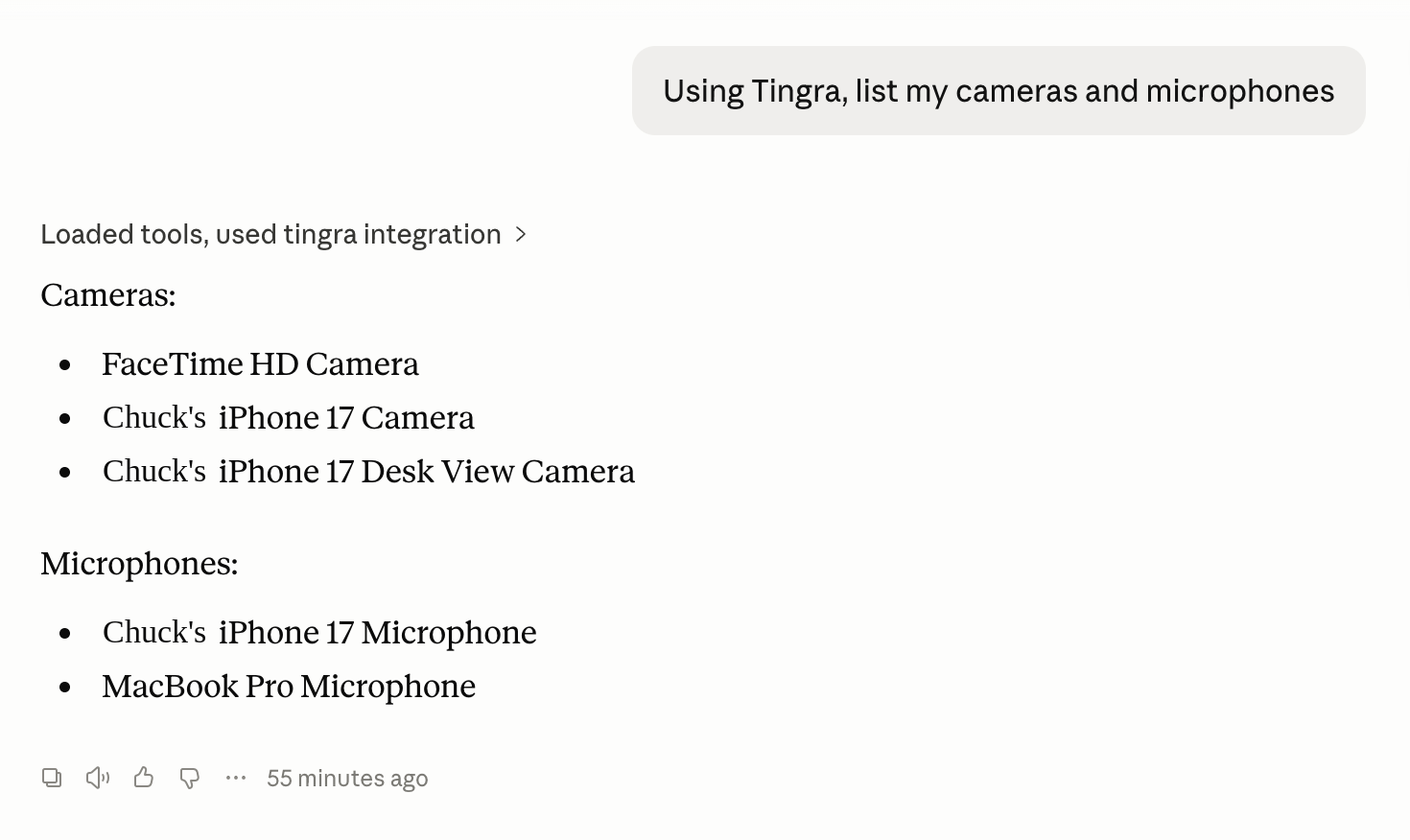
Tingra is a free, open source live streaming and production app built exclusively for macOS, written entirely in Swift on top of ScreenCaptureKit, AVFoundation, Metal, and VideoToolbox. The newest piece of it is not a UI feature. It is an MCP server, so Claude and other AI agents can drive a live stream directly.
Tingra ships first as tingra-cli, a headless front end over the engine. On its own it can list devices, probe a destination, and start or stop a stream from the terminal. With the MCP server running, the same capabilities show up as tools an agent can call: devices_list, probe, stream_start, stream_status, and stream_stop. Ask Claude to “list my cameras and microphones” or “start streaming to my Twitch channel,” and it calls the matching tool.
The easy version of this kind of integration is a script that shells out to the CLI. That breaks the moment two agent sessions try to touch the same stream, or a camera permission prompt needs to appear on screen for a real person to approve. Tingra’s MCP server is built around a persistent engine daemon instead.
tingra-cli serve owns the engine, the session, and the stream, and it is the only process that ever does. tingra-cli mcp is a thin proxy: it copies bytes between an agent’s stdio and a Unix domain socket at ~/Library/Application Support/Tingra/tingra.sock, and contains no protocol logic of its own. The daemon runs as a launchd LaunchAgent, socket activated, so it starts on the first connection and idles out when nothing is connected or streaming. No one, including Claude, has to remember to start or stop it.
The daemon-as-LaunchAgent design also solves a permissions problem. macOS attributes Camera and Microphone access to a process’s “responsible process.” If the CLI just forked the engine inline, every camera prompt would say the agent app wants access, and grants would fragment across every agent a person happens to run it from. Because the daemon is launchd managed, prompts and permission grants belong to Tingra itself, once, regardless of which agent is asking.
Setup takes two commands on Mac. Install the CLI:
1
brew install larryaasen/tingra/tingra-cli
Then register the daemon:
1
tingra-cli serve --install
From there, point Claude Desktop or Claude Code at tingra-cli mcp (the full config is in the tap README), and ask it to list your devices as a first check. That call needs no camera permission and no stream key, so it is a safe way to confirm the connection works before going live.
Tingra is still early. One stream at a time in this version, and recording is intentionally not on the agent facing tool surface yet. But the MCP server is the part I am most interested in watching people use: a native Mac streaming engine that an AI agent can actually operate, not just script around.
Tingra is open source on GitHub and free to use.
