How to Export and Back Up Your Car Maintenance Records on iPhone
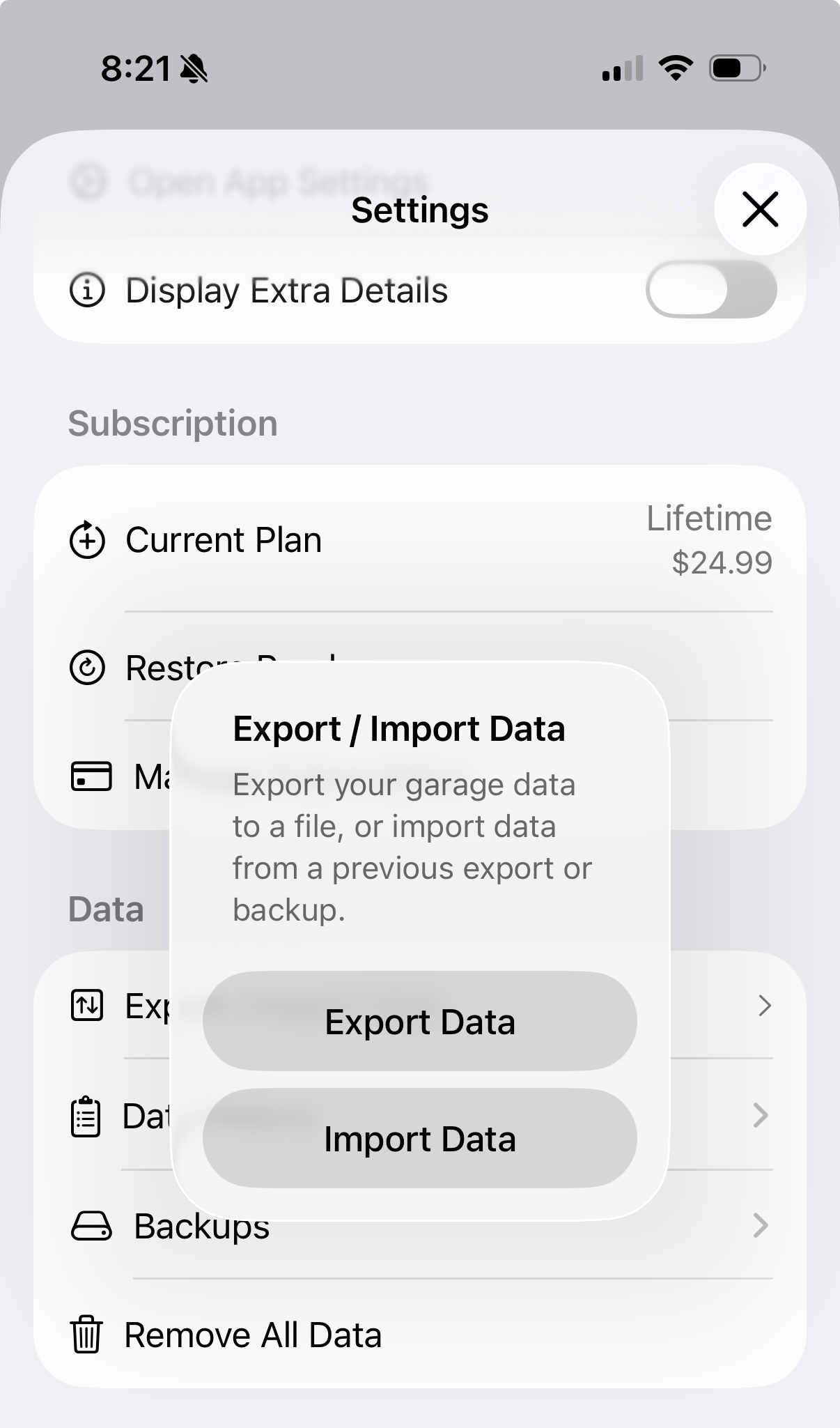
To export and back up your car maintenance records on iPhone, use an app that lets you export your full service history to a file whenever you want, keeps automatic backups running in the background, and lets you import that data back in if you ever switch phones or reinstall. Auto Care Plus does all three: a one tap export, an import path for restoring or moving data, and an automatic backup that snapshots your records every time the app cold starts.
Here is the problem people do not think about until it is too late. You have logged years of oil changes, tire rotations, and repairs into an app, one entry at a time, and the record is genuinely useful, the kind of thing a mechanic wants to see or a buyer asks for. Then your phone dies, or you switch apps, or you just want a copy that lives outside any single app. If there is no way to get that data out, all those years of entries are stuck exactly where you cannot use them when you need them most.
Why locked in data is worse than no data
A maintenance log you cannot export is not really yours, it is just a nicer version of the shoebox of receipts, except now it is trapped behind a login instead of sitting in a drawer. The whole reason to track maintenance in the first place, having proof and history you can hand to a mechanic or a buyer, falls apart the moment the data cannot leave the app. You end up trusting a system you cannot verify or move, which is not much better than trusting your memory.
There is one more reader for that file, and it is the one that costs you money if you cannot produce it: Do I Have to Service My Car at the Dealer to Keep the Warranty? covers what a manufacturer can ask for when a claim is questioned.
How to export and back up your records
In Auto Care Plus, this lives under Settings, in a section built for exactly this:
- Export Data. Pull your full garage, every auto and every logged service, out to a file whenever you want, with one tap.
- Import Data. Bring records back in from a previous export or backup, useful when you set up a new device or restore a garage you exported earlier.
- Backups. The app automatically snapshots your data each time it cold starts, keeping the most recent 20 backups and clearing out the older ones, so you have rolling restore points without doing anything yourself.
- Remove All Data. If you ever want a clean slate, this is there too, entirely your call.
None of this requires a subscription trick or a support ticket. It is a normal part of Settings, because the data was always meant to be yours. That is also the main thing separating a private log from an app that keeps your history on its own servers, which I go through in A Private Alternative to CARFAX Car Care for Logging Car Maintenance.
Backups happen without you thinking about it
The manual export is for the moment you specifically need a file: selling an auto, moving to a new phone, keeping an outside copy. The automatic backups are for everything else. Every cold start of the app quietly creates a new snapshot in the background, and the last 20 are kept, so recent history has a safety net even if you never open the export screen. Because Auto Care Plus also syncs through your own iCloud, your live data already follows you across iPhone, iPad, and Mac. The export and backup tools are the extra layer underneath that, a copy that exists independent of any single device.
Where this matters most
Export earns its keep at two moments in particular. If you are getting ready to sell an auto, a clean exported record backs up exactly what you would hand a buyer, covered in more detail in What Maintenance Records Do I Need to Sell a Car?. And if you are managing more than one vehicle, exporting the whole garage at once means you never have to rebuild history car by car, which ties into How to Keep Maintenance Records for Multiple Cars on Your iPhone. If you are just getting started tracking a single auto, the fuller walkthrough is in How to Track Your Car Maintenance on iPhone, and once your history is logged, set a reminder so it stays current.
What it costs
Auto Care Plus comes with a 30 day free trial on a subscription, then $1.99 a month or $7.99 a year. There is also lifetime access for $24.99, a one time purchase with no trial, so you pay once and the app is yours. Export, import, and automatic backups are included on every plan, because your data should not be a paywalled feature.
The takeaway
To export and back up your car maintenance records on iPhone, use an app that gives you a real export to a file, an import path back in, and automatic backups running quietly in the background. The owners who never lose their maintenance history are not the ones who trust an app to hold onto it forever. They are the ones who keep a copy that is actually theirs.
Download Auto Care Plus on the App Store
