How to Keep Maintenance Records for Multiple Cars on Your iPhone
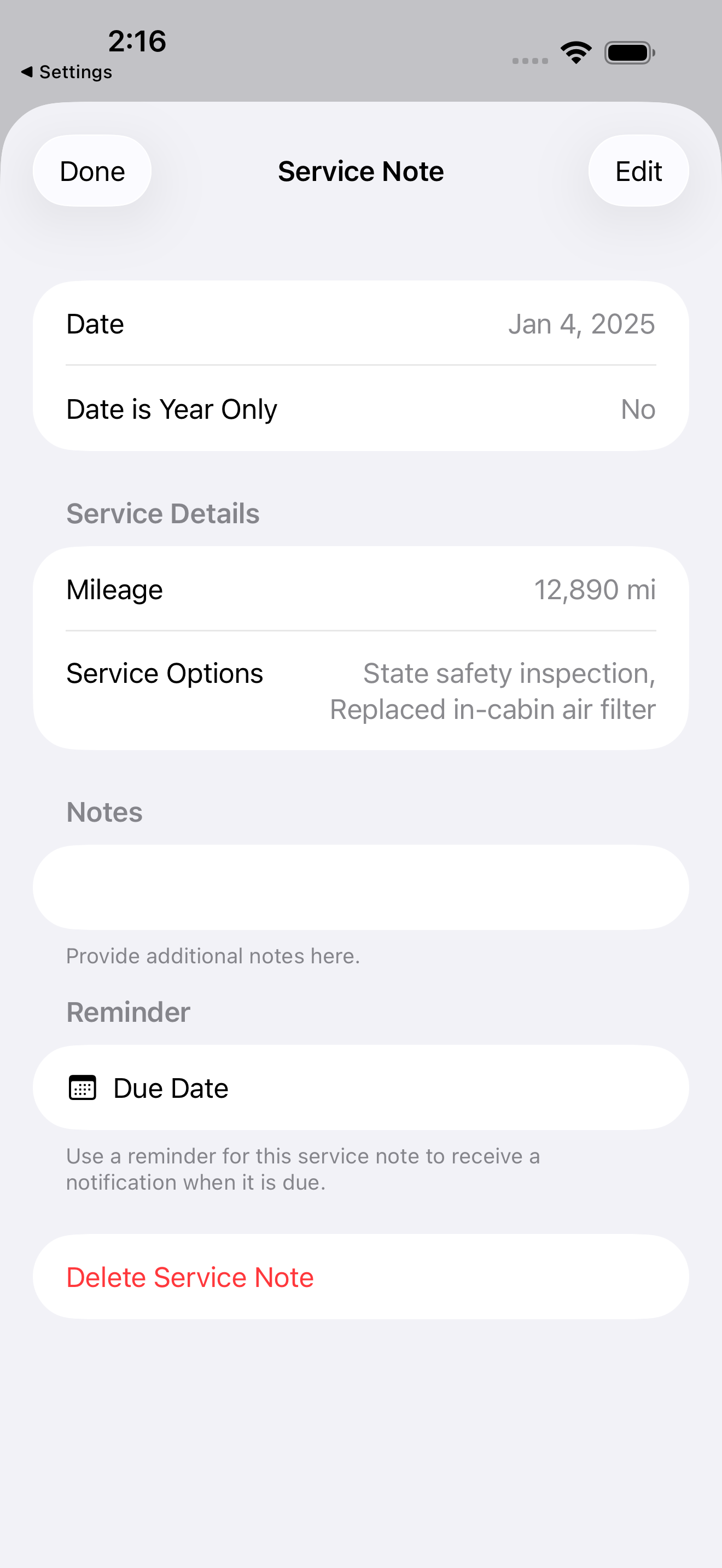
To keep maintenance records for multiple cars on your iPhone, give each auto its own profile, log every service under the right vehicle with the date and mileage, and use one app that keeps those histories separate while showing them together. You can do exactly that with Auto Care Plus, which tracks unlimited autos, each with its own service log, reminders, and recall status, and syncs it all through your own iCloud.
Here is the problem that shows up the moment a second auto enters the picture. One car is manageable in your head, barely. Add a spouse’s car, a kid’s first car, or a weekend truck, and now you are tracking different oil intervals, different tire dates, different inspections, and different recalls, all at once. The details stop fitting in memory, the glovebox receipts belong to whichever car you last cleaned out, and something always slips.
Why multiple cars break the system you were using
A single vehicle lets you get away with guessing. Two or more does not. Each auto is on its own timeline: the commuter needs oil sooner because it runs up miles fast, the second car sits and needs its brakes and battery watched instead, and the teenager’s car needs everything checked because nobody logged a thing before you owned it. When it all lives on scattered stickers and half remembered dates, you end up doing precautionary work you did not need on one car while genuinely overlooking the other. The mental load is the real cost, and things fall through the cracks.
How to keep service records for multiple cars
The fix is to stop holding it in your head and give every auto a home. In Auto Care Plus the steps are short:
- Add each auto once. Enter every vehicle in the household or fleet. There is no cap on how many you track.
- Log services under the right car. Record each oil change, tire rotation, brake job, or repair with its date and mileage, filed to the vehicle it belongs to, so histories never blur together.
- Set a due date per service. Each reminder is tied to that specific auto, so the app tells you which car is due for what, not just that something, somewhere, is overdue.
You do the entry once, at the moment you have the receipt in front of you, and from then on every car has a clean, separate record you can trust.
One glance at the whole driveway
The point of keeping it in one app is not just tidy records. It is the single view. Instead of trying to remember whose car needs what, you open one dashboard and see every auto you track, each with its own status. You can tell at a glance that the truck is fine, the commuter is due for oil in a few hundred miles, and the second car has an inspection coming up. The chaos of three separate mental checklists becomes one calm screen.
Because Auto Care Plus syncs through your own iCloud, that view follows you across your iPhone, iPad, and Mac, and it can be shared with the people who drive those cars. A service your spouse logs on their device shows up in your history too, so the household stays on the same page without a group text about who changed the oil.
Do not forget the recall check on every car
More autos means more recall exposure, and recall letters only reach the registered owner of record, so a used car you bought or a family member’s vehicle may have an open recall nobody was told about. It is worth running a quick check on each auto you track. I walk through how in How to Check If Your Car Has an Open Recall on Your iPhone.
Why per car records pay off later
Keeping each vehicle’s history separate is not only about staying current. When it comes time to sell one of them, you hand the buyer a clean, complete service record for that exact auto, which protects its value. That is covered in What Maintenance Records Do I Need to Sell a Car?. And to set the reminders that keep every car on schedule, see How to Set Oil Change and Car Maintenance Reminders on Your iPhone. If you are starting from zero on even one vehicle, the fuller walkthrough is in How to Track Your Car Maintenance on iPhone.
What it costs
Auto Care Plus comes with a 30 day free trial on a subscription, then $1.99 a month or $7.99 a year. There is also lifetime access for $24.99, a one time purchase with no trial, so you pay once and the app is yours. Every plan tracks unlimited autos, so covering the whole driveway costs the same as covering one car.
The takeaway
To keep maintenance records for multiple cars on your iPhone, give each auto its own profile, log every service to the right vehicle with its date and mileage, and let one app hold the separate histories while showing you the whole driveway at a glance. The households that never lose track of a car are not the ones with better memories. They are the ones who wrote each car down once and let one system do the remembering.
Download Auto Care Plus on the App Store
