How to Add Car Maintenance Dates to Your iPhone Calendar
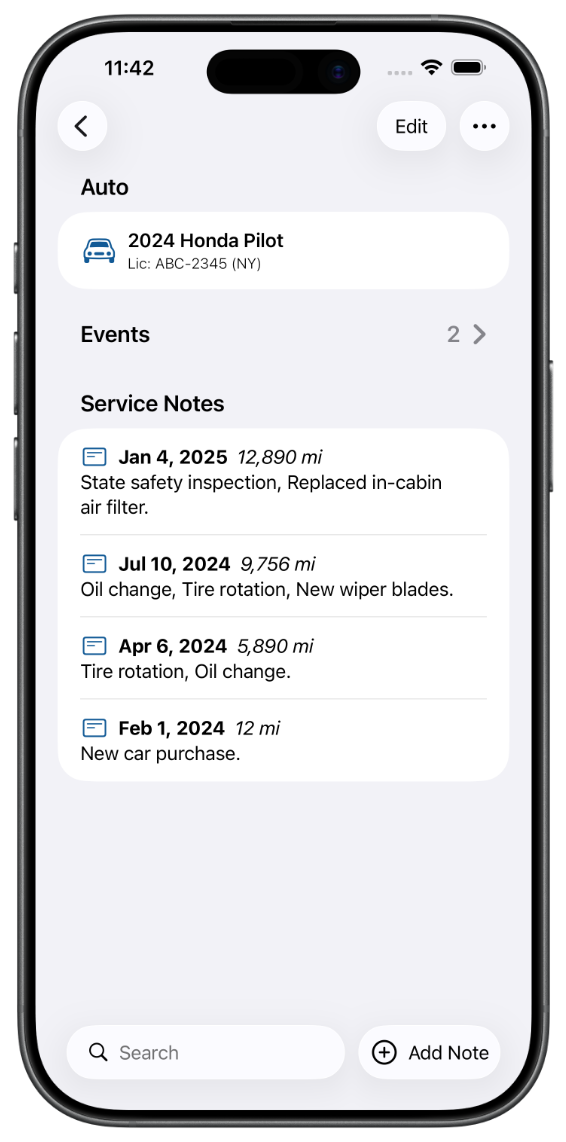
To put a car maintenance date on your iPhone calendar, give it a due date in an app that can write to Calendar, and the entry appears in the same week view as the dentist and the school run. Auto Care Plus does this as of version 1.9.0, released on September 5, 2026. Give an event a due date and it goes to your calendar. Only dated events travel. Your service notes and your history stay in the app.
The reason this matters has little to do with calendars and everything to do with when you find things out. A state inspection that expires in March is written down somewhere. If that somewhere is a maintenance app, you learn about it by opening a maintenance app, which people do when they are already thinking about the auto. That is the one moment you do not need telling.
Your calendar is where the week gets decided
You open the calendar to see whether Thursday is clear. Everything with a date on it competes there: the dentist, the flight, the school thing, the day the plumber is coming. A registration renewal that is not in that list does not lose because you forgot it. It loses because it was never in the running.
An app that keeps maintenance dates to itself is asking you to check two places and remember to. Most people check one.
How to add car maintenance dates to your iPhone calendar
- Add the auto. Type or paste the VIN and the year, make, model, series, and trim fill themselves in, with a chance to check the result before anything is saved. Entering the details by hand is still one tap away.
- Create the event and give it a due date. State inspection, registration renewal, the next oil change, a booking at the shop. The due date is the part that does the work, because a dated event is the thing that can travel.
- Turn on calendar access. A card on the Garages screen asks for it, and it asks only for the access your data can use. Nothing goes anywhere until you say yes.
- Open Calendar and look. The event is sitting on its date with your ordinary entries around it, on the iPhone, iPad, or Mac you are holding.
- Leave the history where it is. The record of what was done stays in the app, which is where you want it when you need to read it.
The events you dated before the update are handled too. The app adds them to your calendar in one sweep, so this works on the records you already have rather than only on what you enter next.
What travels and what stays put
An event with a due date goes to your calendar. A service note does not. That line is worth being exact about, because the two are different kinds of thing.
A calendar is a list of what has not happened yet. Your maintenance history is a list of what has. Send four years of oil changes into your calendar and you have buried the two dates you actually needed under a pile of entries about the past. So the app keeps the history and hands over the appointments.
If you want the history somewhere else, that is a different job and there is a different answer for it: How to Export and Back Up Your Car Maintenance Records on iPhone.
New on the Mac, in a stronger sense than usual
The Mac version could never talk to the calendar at all. A Mac user got the records and none of the scheduling, which was a real gap rather than a missing convenience. Version 1.9.0 fixes it, so a date entered on the Mac now lands in the same calendar as one entered on the phone. More on the Mac version in Auto Care Plus Is Now on Mac.
A calendar entry and a reminder do two different jobs
A reminder is the notification that arrives before the date, tied to the service you logged, so the alert knows which auto it belongs to and what it is for. A calendar entry is the date sitting in the week you are planning. One interrupts you, the other lets you see it coming. Both are useful and they are not substitutes, which is why the app does each.
Worth saying plainly: note reminders had a fault where the date saved and the notification was never scheduled, so the alert simply did not arrive. That is repaired in 1.9.0. If you set something months ago and nothing ever came of it, that is why.
The setup for the reminder side is in How to Set Oil Change and Car Maintenance Reminders on Your iPhone.
What is worth putting on the calendar
- State inspection and emissions. A hard deadline set by somebody else, which is the best possible case for a calendar entry.
- Registration renewal. Same reason, and the fine for missing it is real money.
- The next oil change or tire rotation. Book it while you can see the last one.
- A warranty running out. The date you want to know before, not after.
- The appointment itself. Once the shop gives you a time, it belongs beside everything else that day.
If there is more than one auto in the driveway, each keeps its own dates and its own history: How to Keep Maintenance Records for Multiple Cars on Your iPhone.
What this does not do
- It does not put your service history in your calendar. Dated events only. The log of completed work stays in the app.
- It does not schedule anything by mileage. Reminders and events run on dates, because a date is what a phone can watch on its own. The mileage log is how you check whether that date is early or late: How to Track Car Mileage Between Oil Changes on Your iPhone.
- It does not book the appointment. No shop is contacted and no calendar invitation is sent to anybody.
- It does not send your records to me. Everything sits in your own iCloud through CloudKit, with no account to create and nothing on a Moonwink server: A Private Car Maintenance Log App With No Account to Create.
Because it all syncs through your own iCloud, a date entered on the phone is on the iPad and the Mac too, covered in Why iCloud Sync Matters for a Maintenance Tracker. And if somebody else in the house drives the auto, they can be on the record as well: How to Share Car Maintenance Records With Your Family.
What it costs
Auto Care Plus comes with a 30 day free trial, then $1.99 a month or $7.99 a year. Lifetime access is $24.99, a one time purchase with no trial. Calendar events, reminders, unlimited autos, recall checks, iCloud sync, and export are included on every plan.
The takeaway
Give the date somewhere to go. A maintenance date that lives only inside a maintenance app depends on you opening that app at the right moment, and that is the part nobody does reliably. Put it in the week view you already read every morning and it stops being something you have to remember to check.
If you are starting from an empty garage, How to Track Your Car Maintenance on iPhone walks through the first entry, and you can add the auto and the date by voice without opening the app at all: How to Log Car Maintenance With Siri on Your iPhone.
Download Auto Care Plus on the App Store
